
Lucid
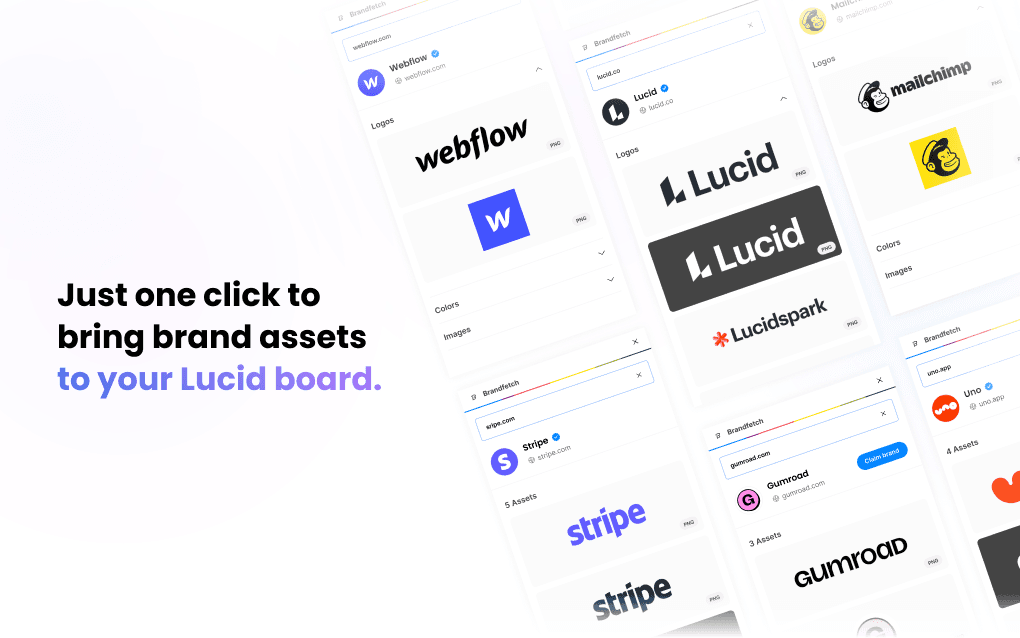
Use it in Lucidchart and Lucidspark


Why use this plugin
Search without leaving your app
Search by brand name or URL, right inside the plugin.
Instantly find the right logos or colors
Get logos in the right format, ready to use as they are.
Drag assets straight into your design
Drag an asset onto any frame or layer and keep working.
Always the latest version of a brand
Brands are verified, claimed and updated daily.
Frequently asked questions
Your questions, answered
How does it work?
Brandfetch for Lucid will save you time by automating the search of logos, colors, fonts, and more. Simply enter a brand name and fetch its latest brand assets straight into Lucid. It's fast, easy, and effective
Can I get the logos in SVG or PNG?
Yes. Logos come in SVG or PNG, depending on the files each brand has published.
Can I search my own logos?
Not only your logos but all your visual assets. We make it easy for you and your team to stay on-brand by easily accessing your organization's internal Brand Library within your workflow.
Feel free to claim your brand to set up your internal Brand Library.
Is it really free?
Yes it's 100% free, our goal is to empower creatives like you!
I have more questions!
We're happy to answer them, feel free to email us!
Other plugins
View all plugins
Figma
figma.com
Get instant access to millions of logos, colors, fonts, and more, directly to Figma and FigJam.

Canva
canva.com
Logos at your fingertips. Enter a company name and instantly find a logo to add to your design.

Miro
miro.com
Prototype with real-world data by displaying the relevant brand assets you need straight in your Miro workflow.

Google Chrome
chrome.com
Brand assets on the go. Our Chrome plugin lets your drag and drop the right logo, right when you need it.
Adobe Express
adobe.com/express
Dive into any corporate identity effortlessly with our Adobe Express add-on.

Sketch
sketch.com
Bring any organization's up-to-date brand assets straight into Sketch whether it's their logo, colors, fonts, images, and more.