
Unclaimed brand
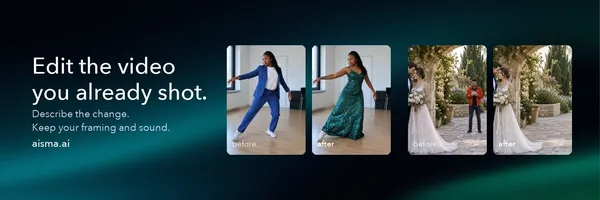
Edit a video you already shot with AI. Describe the change to remove people or swap outfits, backgrounds and products. Your framing and audio stay.
Liking this brand profile? Share this page

Hex Code
Color name
RGB
HSL
CMYK
#126F6A
Genoa
18, 111, 106
177, 72, 25
84, 0, 5, 56
#65CC73
Emerald
101, 204, 115
128, 50, 60
50, 0, 44, 20
#000407
Blue Charcoal
0, 4, 7
206, 100, 1
100, 43, 0, 97
Aisma is an AI video editor for transforming footage you have already filmed. Describe the change you want in plain language, from removing a person or object to changing an outfit, face, product, background, or the overall visual style. You can also add up to 10 reference photos to guide a specific face, garment, or product; photos are optional.
Aisma is designed to preserve your clip’s framing, length, original audio, motion, and camera work while changing the elements you specify. It supports MP4 and MOV videos from 2 to 60 seconds long, up to 500 MB, with results available in 720p or 1080p and saved as MP4. The credit price is shown before you generate an edit, and completed videos are available in a private Library through the browser and apps. Aisma offers examples of real edits and a help center for users exploring how to adapt their own clips. Results may vary depending on the footage and request.
Brand industry
Computers Electronics and Technology
Company type
Suggest company type
Year founded
Suggest founded year
Company size
Suggest company size
How do I download the Aisma: AI Video Editor logo?
The Aisma: AI Video Editor logo comes in two versions: a logo and an icon. Download as transparent PNG or JPEG.
What are Aisma: AI Video Editor's brand colors?
The Aisma: AI Video Editor color palette uses the hex codes #126F6A, #65CC73 and #000407.
The Aisma: AI Video Editor name, logos and brand assets are trademarks of Aisma: AI Video Editor and its affiliates. Brandfetch isn't affiliated with or endorsed by Aisma: AI Video Editor. Their use is subject to Aisma: AI Video Editor's brand guidelines.
