Liking this brand profile? Share this page


Hex Code
Color name
RGB
HSL
CMYK
#2E5D89
Calypso
46, 93, 137
209, 50, 36
66, 32, 0, 46
#EFF0F1
Porcelain
239, 240, 241
210, 7, 94
1, 0, 0, 5
#004480
Congress Blue
0, 68, 128
208, 100, 25
100, 47, 0, 50
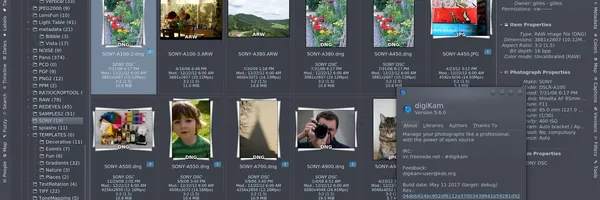
This powerful software provides a comprehensive range of features to import, manage, edit, and share photos and raw files. With digiKam, you can easily transfer photos, raw files, and videos from your camera and external storage devices. The application allows you to customize import settings and rules for organizing your files efficiently.
digiKam organizes your photos, raw files, and videos into albums, and provides robust tagging tools to assign tags, ratings, and labels for easy categorization. You can also filter and search your photo library with various criteria such as tags, labels, rating, location, and metadata. The application integrates with the Exiv2 library for handling metadata tag contents and the LibRaw library for decoding raw files of the latest camera models.
It also offers a comprehensive set of editing tools, including adjustments, panorama stitching, and lens corrections. Furthermore, digiKam supports plugin-based functionality for importing/exporting contents, adding new image editing features, and batch processing photos. Discover digiKam's superior capabilities and take control of your photo management workflow today
Brand industry
Computers Electronics and Technology
Company type
Suggest company type
Year founded
Suggest founded year
Company size
Suggest company size
The digiKam name, logos and brand assets are trademarks of digiKam and its affiliates. Brandfetch isn't affiliated with or endorsed by digiKam. Their use is subject to digiKam's brand guidelines.
